
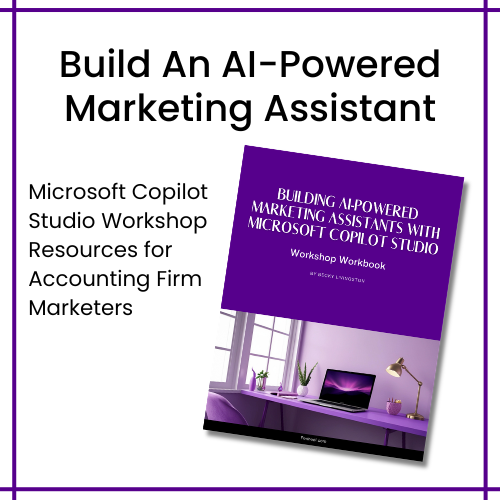
Pre-work: Prepare for the Workshop
Prepare the information your agent needs to understand its job, your audience, your services, and how you want it to work. Use the CoPilot-Agent-Pre-Workshop-Documents zip file to access the following resources.
During the Workshop: Build Your First Marketing Agent
Your first marketing agent will be a Content Marketing Assistant for an accounting firm. Think of it like hiring a new marketing team member. They need to know their job, who your firm serves, what services you offer, what resources to use, what not to do, and what good work looks like.
During the workshop, you’ll move through five stages.
- Meet Your New Team Member: You’ll create your marketing assistant in Microsoft Copilot Studio and define its role, purpose, and responsibilities.
- Train Your Marketing Agent: You’ll write the instructions that guide how your assistant behaves. You’ll also connect knowledge sources. This is where your agent begins moving from a generic AI tool to an assistant that understands your firm’s marketing environment.
- Give It Its First Assignment: You’ll put your new assistant to work.
- Coach & Improve Performance: You’ll evaluate its responses, adjust its instructions or knowledge, and test it again. You’ll learn to spot issues, such as accuracy, consistency, relevance, scope, and whether the agent is actually using the information you’ve provided.
- Build Your AI Marketing Team: Once you’ve built one useful marketing agent, you don’t have to start from scratch. The workbook includes 25 additional marketing agent ideas across content creation, SEO and AI visibility, research, business development, client experience, and internal marketing operations.
During & Post-Course Resources
- Course Workbook
- Step-by-Step Agent Guide
- Training Video Resources
- Agent Governance Checklist
- 30-Day Challenge
- 25 Marketing Agents
- ROI Calculator
- Prompt Library
- Marketing Workflow Templates
FAQs
What should I complete before the course?
Start with the Important: Do This First instructions to confirm you have the appropriate Microsoft 365, Copilot Studio, Power Automate, and document upload and sharing access. Then review the pre-class resources, including the Agent Idea Worksheet, sample buyer personas, sample service pages, Content Brief, Agent Planning Worksheet, FAQs, sample content calendar, and Marketing Agent Canvas.
Do I need experience with Microsoft Copilot Studio?
No. The workbook guides you through creating a Copilot Studio marketing agent, including defining its role, writing instructions, connecting knowledge, testing it, and improving its responses. However, confirm your access before the workshop and familiarize yourself with the Copilot Studio interface.
Can I upload client information into my marketing agent?
The workshop workbook specifically instructs participants not to upload confidential client information, personal data, tax records, financial records, or internal documents that the firm has not approved for use with AI tools. Use approved marketing materials and follow your firm’s AI, privacy, security, and data-governance policies.
Do I need a premium Microsoft account to build an agent?
You need access to Microsoft Copilot Studio to create an agent, upload documents, publish, and share. You also need premium access if you plan to share the build with others. Because Microsoft licensing and permissions vary by organization, confirm your access before building the marketing agent.
Ready to Get Started?
Complete your pre-work before class, build using the during-class resources, and use the post-course resources to keep experimenting afterward.